
Databricks Lakehouse
Starting with version 4.0.0, the Databricks Lakehouse destination uses Direct Load architecture. This means data is written directly to final tables without using intermediate raw tables, providing improved performance and reduced storage costs.
For migration details and backward compatibility options, see the Databricks Migration Guide.
Prerequisites
- A Databricks workspace with Unity Catalog enabled.
- A SQL warehouse or compute cluster to run queries against.
- Authentication credentials: an OAuth2 client ID and secret (recommended), or a personal access token.
- Acceptance of the Databricks JDBC ODBC driver license. By using this connector, you agree that it may only be used to connect third-party applications to Apache Spark SQL within a Databricks offering using the ODBC and/or JDBC protocols.
Network access
If you're using Airbyte Cloud and this destination uses IP-based access controls, add Airbyte's IP addresses to your allowlist.
Step 1: Set up Databricks
You will need the following information from your Databricks workspace:
Server Hostname / HTTP Path / Port
-
Open the workspace console.
-
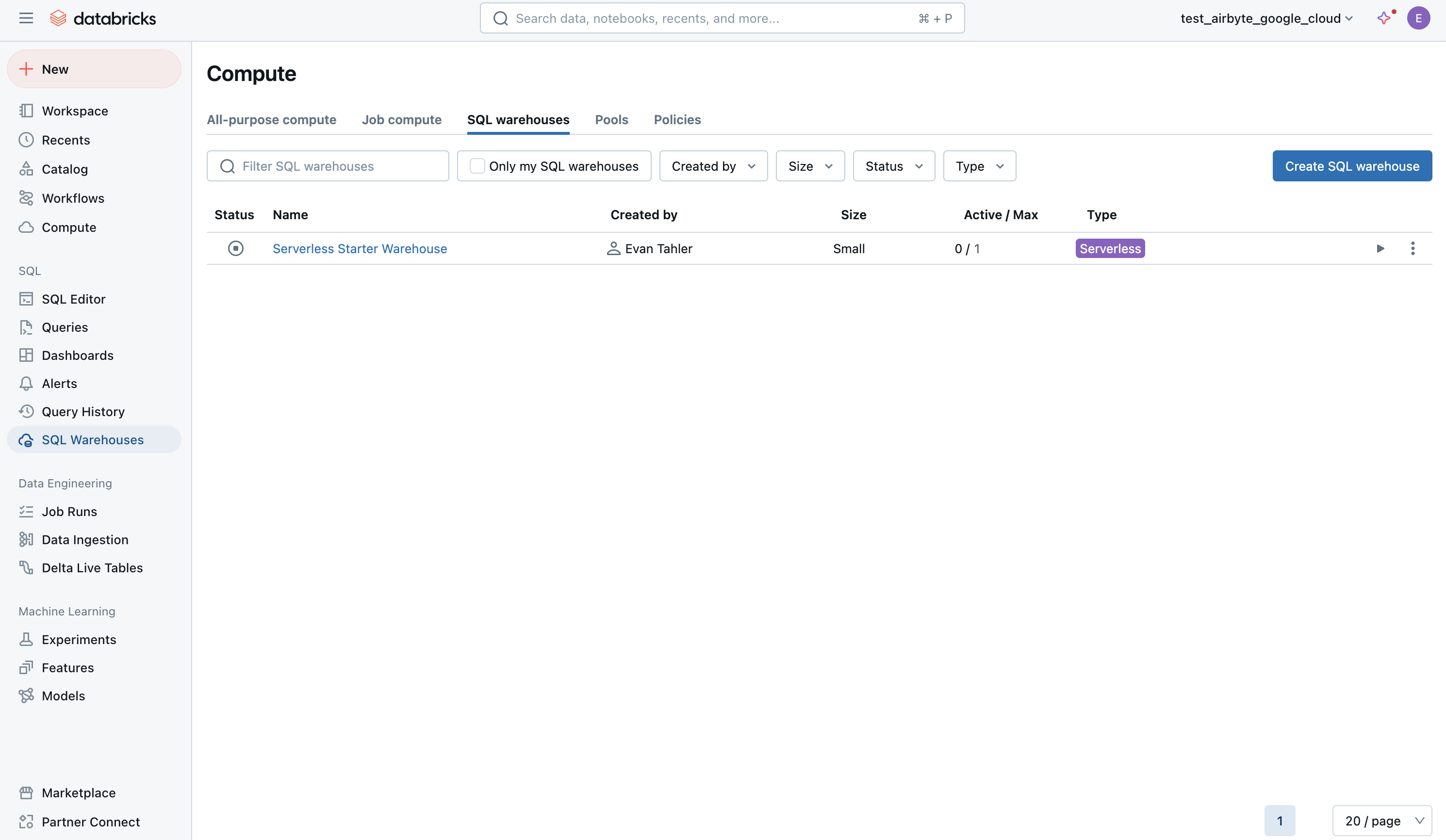
Open your SQL warehouse:
-
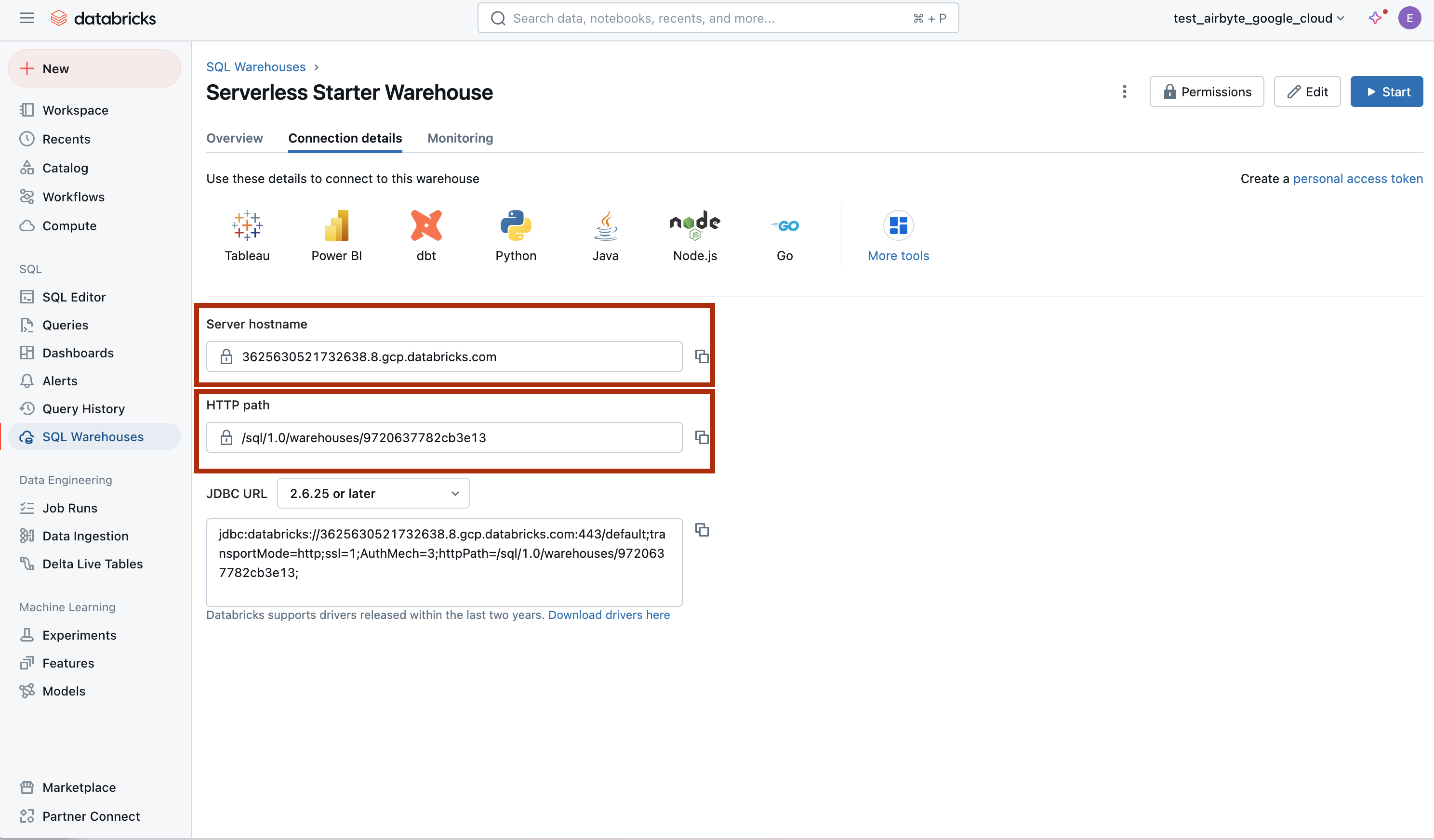
Open the Connection Details tab:
-
Note the Server Hostname, HTTP Path, and Port values.
-
You will also need the Databricks Unity Catalog Name — the name of the Unity Catalog that contains the database you want to write to. This is not found on the Connection Details tab; look for it in the Databricks workspace sidebar under Catalog.
Authentication
OAuth2 (Recommended)
Create a service principal in your Databricks workspace and generate a client ID and secret.
Personal Access Token
-
Open your workspace console.
-
Click on your icon in the top-right corner, and head to
settings, thendeveloper, thenmanageunderaccess tokens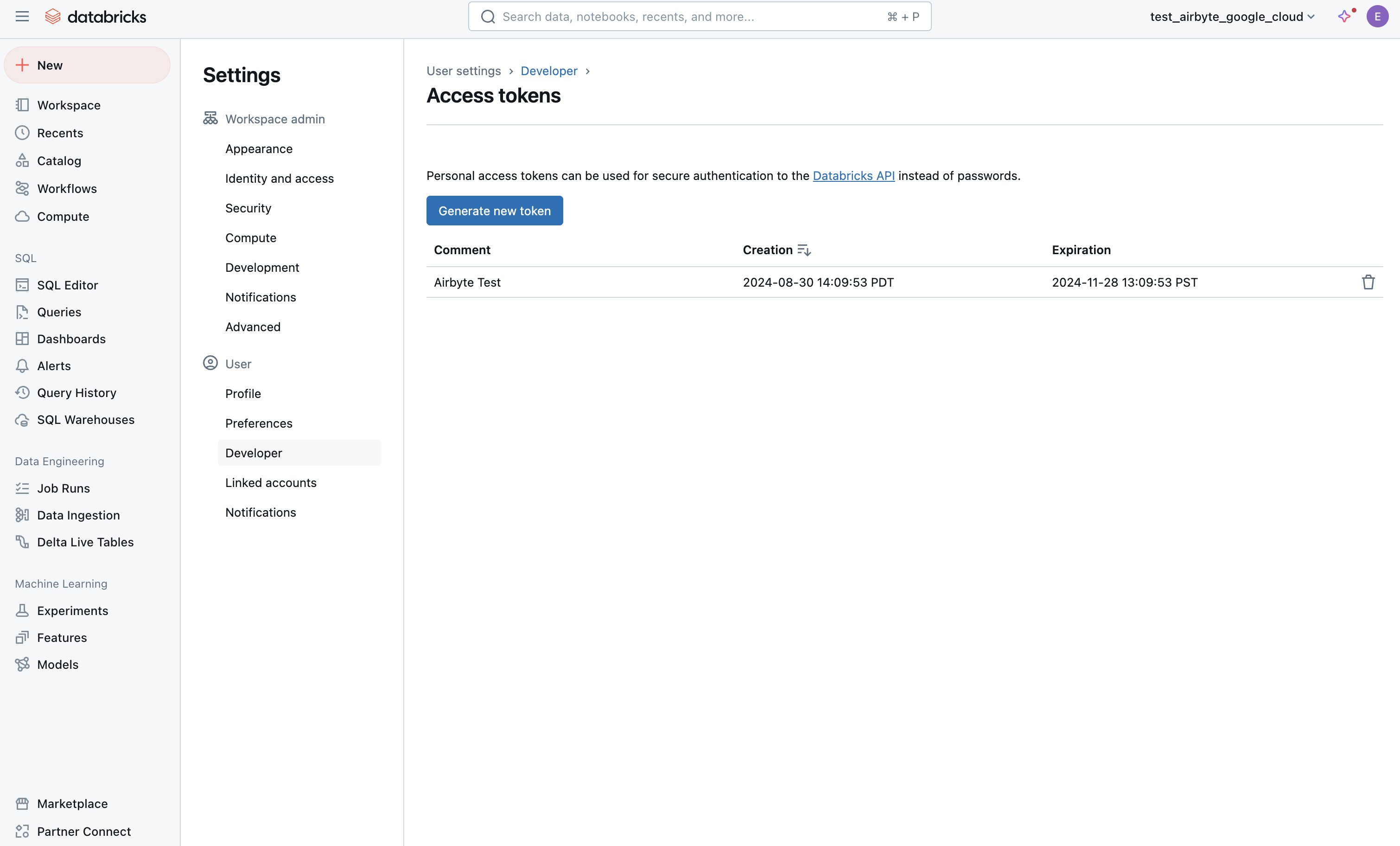
-
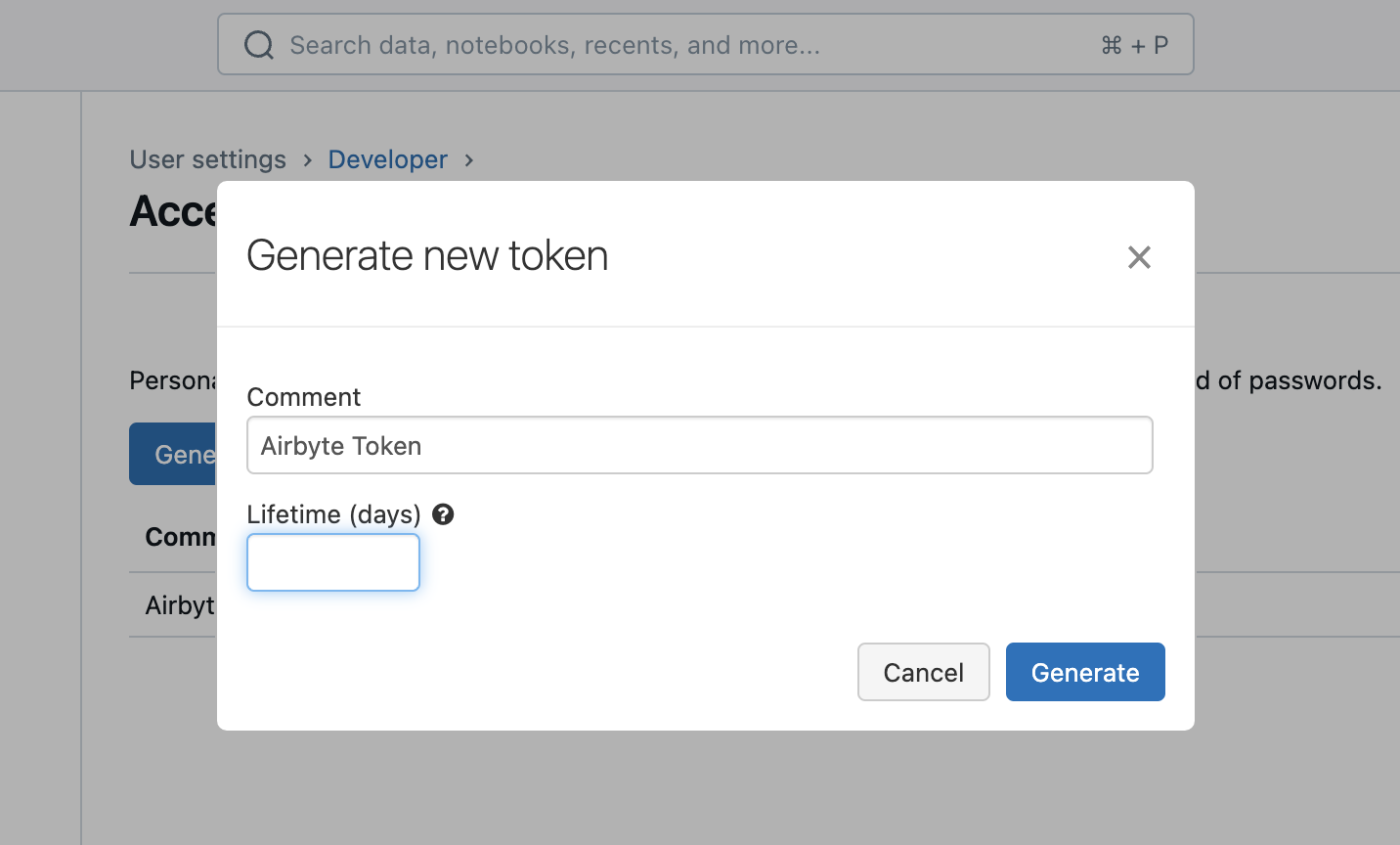
Enter a description for the token and how long it will be valid for (or leave blank for a permanent token):
Step 2: Set up the Databricks destination in Airbyte
- Log in to your Airbyte account.
- In the left navigation bar, click Destinations. In the top-right corner, click + New destination.
- Find and select Databricks Lakehouse from the list of available destinations.
- Enter the Server Hostname, HTTP Path, Port, and Databricks Unity Catalog Name from Step 1.
- Select your Authentication method and enter the required credentials.
- Configure the remaining options:
Default Schema- The schema that will contain your data. You can later override this on a per-connection basis.CDC deletion mode- Whether CDC deletions are propagated as hard deletes (the row is removed) or soft deletes (the row is kept with a tombstone). Defaults to hard delete.Purge Staging Files and Tables- Whether to delete staging files after loading them into tables. Disable for debugging.
- Click Set up destination.
Supported sync modes
| Sync mode | Supported? |
|---|---|
| Full Refresh - Overwrite | Yes |
| Full Refresh - Append | Yes |
| Full Refresh - Overwrite + Deduped | Yes |
| Incremental Sync - Append | Yes |
| Incremental Sync - Append + Deduped | Yes |
Output schema
Each stream is written directly to a final table in your configured schema. The table includes your data columns plus the following Airbyte metadata columns:
| Column | Type | Notes |
|---|---|---|
_airbyte_raw_id | STRING | A UUID assigned by Airbyte to each processed event. |
_airbyte_extracted_at | TIMESTAMP | Timestamp when the event was pulled from the data source. |
_airbyte_meta | STRING | JSON metadata about the record, including sync information. |
_airbyte_generation_id | LONG | See the refreshes documentation. |
Data type map
| Airbyte Type | Databricks Type | Notes |
|---|---|---|
string | STRING | |
number | DECIMAL(38, 10) | Max 28 integer digits, 10 fractional |
integer | LONG | 64-bit integer |
boolean | BOOLEAN | |
object | STRING | Serialized as JSON |
array | STRING | Serialized as JSON |
timestamp_with_timezone | TIMESTAMP | Microsecond precision |
timestamp_without_timezone | TIMESTAMP_NTZ | Microsecond precision, no timezone |
time_with_timezone | STRING | No native Databricks equivalent |
time_without_timezone | STRING | No native Databricks equivalent |
date | DATE |
Naming conventions
- Schema and table names are lowercased automatically. Databricks treats them as case-insensitive identifiers.
- Column names preserve the casing from your source data.
- Special characters in identifiers are escaped automatically by the connector.
Namespace support
This destination supports namespaces. The namespace maps to a Databricks schema.
Reference
Config fields reference
Changelog
Expand to review
| Version | Date | Pull Request | Subject |
|---|---|---|---|
| 4.0.0 | 2026-06-29 | 80951 | Major rewrite: upgraded to Direct-Load architecture using the Bulk CDK |
| 3.3.8 | 2026-03-11 | 74732 | Add JDBC ConnectTimeout and SocketTimeout to prevent indefinite hangs when Databricks SQL warehouse is paused or unresponsive |
| 3.3.7 | 2025-07-15 | 63311 | Support arbitrary number of streams in findExisitngTable query |
| 3.3.6 | 2025-03-24 | 56355 | Upgrade to airbyte/java-connector-base:2.0.1 to be M4 compatible. |
| 3.3.5 | 2025-03-07 | 55232 | fix table name collision multiple connections same schema |
| 3.3.3 | 2025-01-10 | 51506 | Use a non root base image |
| 3.3.2 | 2024-12-18 | 49898 | Use a base image: airbyte/java-connector-base:1.0.0 |
| 3.3.1 | 2024-12-02 | #48779 | bump resource reqs for check |
| 3.3.0 | 2024-09-18 | #45438 | upgrade all dependencies. |
| 3.2.5 | 2024-09-12 | #45439 | Move to integrations section. |
| 3.2.4 | 2024-09-09 | #45208 | Fix CHECK to create missing namespace if not exists. |
| 3.2.3 | 2024-09-03 | #45115 | Clarify Unity Catalog Name option. |
| 3.2.2 | 2024-08-22 | #44941 | Clarify Unity Catalog Path option. |
| 3.2.1 | 2024-08-22 | #44506 | Handle uppercase/mixed-case stream name/namespaces |
| 3.2.0 | 2024-08-12 | #40712 | Rely solely on PAT, instead of also needing a user/pass |
| 3.1.0 | 2024-07-22 | #40692 | Support for refreshes and resumable full refresh. WARNING: You must upgrade to platform 0.63.7 before upgrading to this connector version. |
| 3.0.0 | 2024-07-12 | #40689 | (Private release, not to be used for production) Add _airbyte_generation_id column, and sync_id entry in _airbyte_meta |
| 2.0.0 | 2024-05-17 | #37613 | (Private release, not to be used for production) Alpha release of the connector to use Unity Catalog |
| 1.1.2 | 2024-04-04 | #36846 | (incompatible with CDK, do not use) Remove duplicate S3 Region |
| 1.1.1 | 2024-01-03 | #33924 | (incompatible with CDK, do not use) Add new ap-southeast-3 AWS region |
| 1.1.0 | 2023-06-02 | #26942 | Support schema evolution |
| 1.0.2 | 2023-04-20 | #25366 | Fix default catalog to be hive_metastore |
| 1.0.1 | 2023-03-30 | #24657 | Fix support for external tables on S3 |
| 1.0.0 | 2023-03-21 | #23965 | Added: Managed table storage type, Databricks Catalog field |
| 0.3.1 | 2022-10-15 | #18032 | Add SSL=1 to the JDBC URL to ensure SSL connection. |
| 0.3.0 | 2022-10-14 | #15329 | Add support for Azure storage. |
| 2022-09-01 | #16243 | Fix Json to Avro conversion when there is field name clash from combined restrictions (anyOf, oneOf, allOf fields) | |
| 0.2.6 | 2022-08-05 | #14801 | Fix multiply log bindings |
| 0.2.5 | 2022-07-15 | #14494 | Make S3 output filename configurable. |
| 0.2.4 | 2022-07-14 | #14618 | Removed additionalProperties: false from JDBC destination connectors |
| 0.2.3 | 2022-06-16 | #13852 | Updated stacktrace format for any trace message errors |
| 0.2.2 | 2022-06-13 | #13722 | Rename to "Databricks Lakehouse". |
| 0.2.1 | 2022-06-08 | #13630 | Rename to "Databricks Delta Lake" and add field orders in the spec. |
| 0.2.0 | 2022-05-15 | #12861 | Use new public Databricks JDBC driver, and open source the connector. |
| 0.1.5 | 2022-05-04 | #12578 | In JSON to Avro conversion, log JSON field values that do not follow Avro schema for debugging. |
| 0.1.4 | 2022-02-14 | #10256 | Add -XX:+ExitOnOutOfMemoryError JVM option |
| 0.1.3 | 2022-01-06 | #7622 #9153 | Upgrade Spark JDBC driver to 2.6.21 to patch Log4j vulnerability; update connector fields title/description. |
| 0.1.2 | 2021-11-03 | #7288 | Support Json additionalProperties. |
| 0.1.1 | 2021-10-05 | #6792 | Require users to accept Databricks JDBC Driver Terms & Conditions. |
| 0.1.0 | 2021-09-14 | #5998 | Initial private release. |